The Bar Tool
The Bar Tool in Crossword Wrangler is used to add or remove bars around individual cells to delineate the start and end of lights in a barred grid. Barred grids are common in advanced cryptic crosswords and, like US-style crosswords tend to have a high degree of checking.
As with US-style grids, when making a barred grid one tends to begin with an all open initial grid (see Creating a new grid) then selectively add bars to define the lights.
While a mixture of blocks and bars is rare, there is nothing to prevent this. Indeed barred grids can be constructed using only the Light Tool or a combination of the two. One can even incorporate use of the Block Tool. However, because the Block Tool always creates open cells without bars, it cannot produce barred grids on its own.
Using the Bar Tool with rectangular grids
Section titled “Using the Bar Tool with rectangular grids”- In the tool strip, select the Bar Tool icon:

-
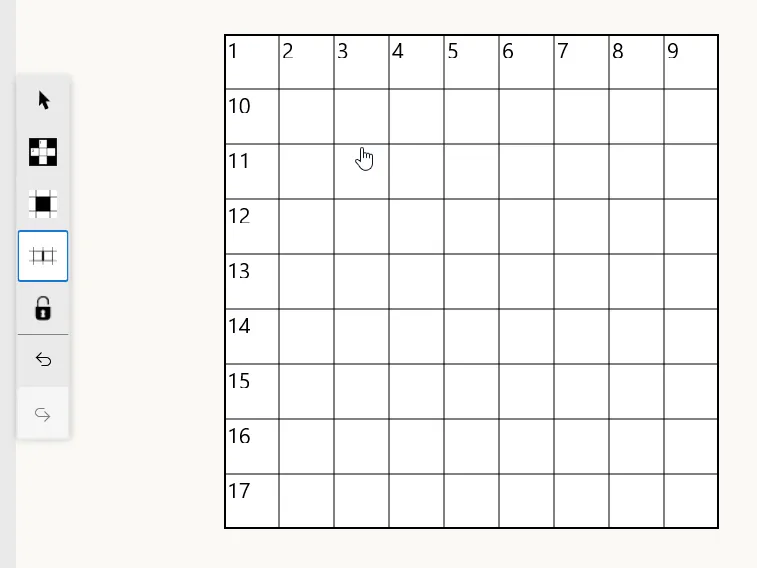
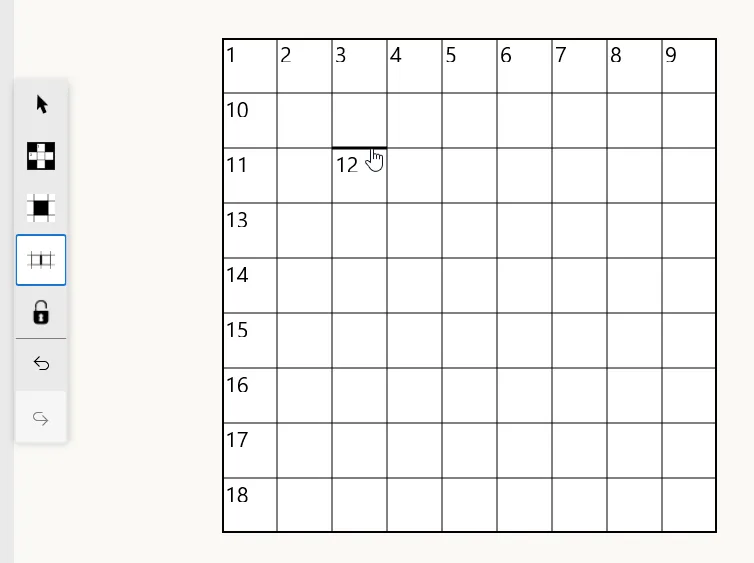
Click on the grid line you want to toggle between a normal grid line and a bar:
Symmetry
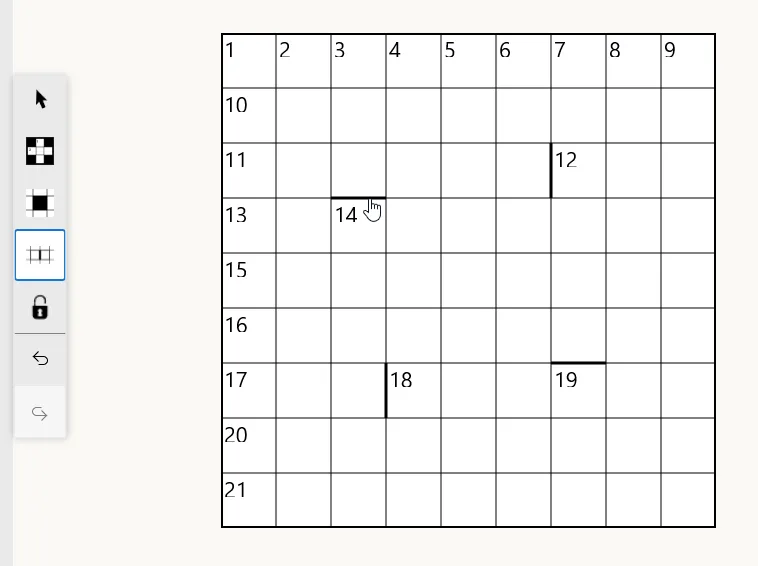
Section titled “Symmetry”The Bar Tool also respects the grid’s symmetry settings. When symmetry is enabled, toggling a bar on or off will toggle its symmetric counterparts likewise, ensuring the overall symmetry of the grid is maintained. For example, with 90° rotational symmetry enabled, one click on a grid line can update up to four grid lines simultaneously:
Isolated open cells
Section titled “Isolated open cells”Creating bars on all sides of a single open cell (either manually or via symmetry) will isolate it:
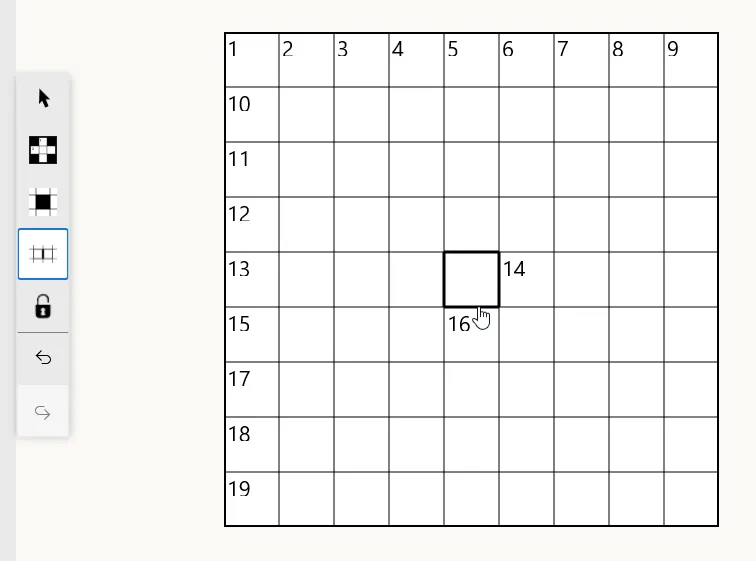
Because lights are defined as continuous series of at least two open cells, a single isolated open cell does not constitute a light on its own. It may, however, become part of a light if any of its bars are removed.
Using the Bar Tool with circular grids
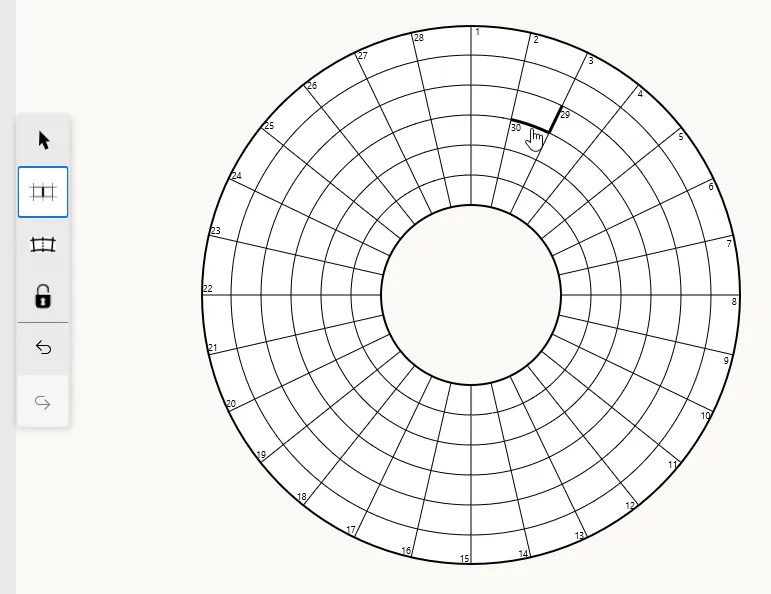
Section titled “Using the Bar Tool with circular grids”In addition to the Merge Tool, the Bar Tool is the only other editing tool that can be used with circular grids to add or remove bars around cells, either radial or concentric:
Symmetry
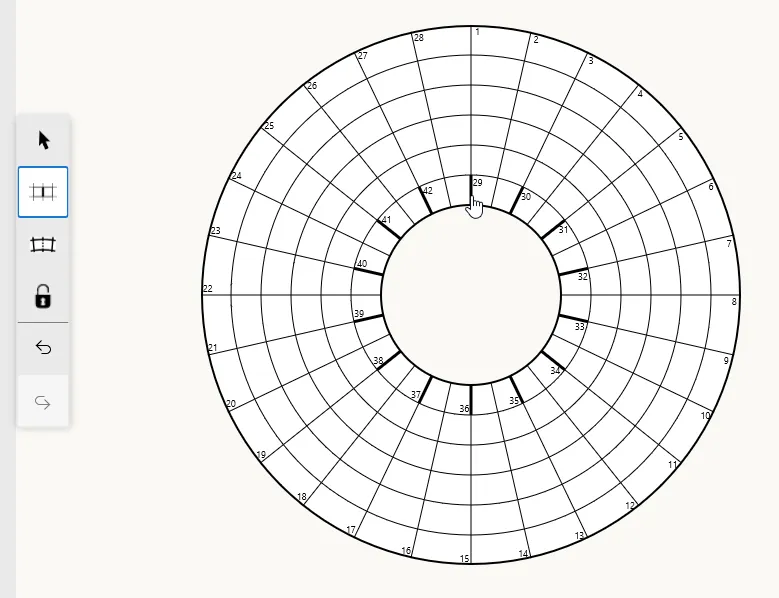
Section titled “Symmetry”As described in Creating a new grid, circular crosswords have two types of roational symmetry: cell symmetry and bar symmetry. Bar symmetry controls how the Bar Tool affects symmetric counterparts of grid lines. When bar symmetry is enabled, toggling a bar on one grid line will also toggle its symmetric counterparts according to the grid’s bar symmetry settings. With n-fold bar symmetry, toggling a bar on one grid line will affect bars on n symmetric grid lines simultaneously. For example, in a grid with 28 radials and 14-fold bar symmetry, toggling a bar on one grid line will also toggle the thirteen other bars on symmetric grid lines:
Crossword Wrangler will not allow you to toggle bars in a way that would require adding bars to grid lines that have been removed using the Merge Tool.